Free popup builder with no pageview limits: what that actually means
The claim, plainly. PopupLoom does not meter popup traffic. There is no pageview, unique-visitor or impression allowance, no live-campaign cap and no site-count cap. There is also no paid tier to upgrade to, because the product is free.
That is a narrower promise than “unlimited everything”. Hosting and API rate limits exist, there is no uptime SLA, and the feature set is deliberately small: 53 templates, six triggers, a lead inbox, CSV export and a signed webhook. This page explains the meters other free plans use, how to spot one before you commit, and where a different tool is the better choice.
“Free popup builder” usually means one of four things. It can mean no traffic meter at all. It can mean a monthly allowance that resets. It can mean a short trial that ends. Or it can mean a plan that is free in name but gates the one feature you need behind a paid tier.
The difference matters because a popup is usually installed once and left running. A trial is an evaluation; a monthly cap is a subscription waiting to happen. If you pick the wrong shape, the cost does not appear on day one. It appears in the week your traffic grows, when the popup quietly stops or the account asks for a card.
What a traffic meter is
A meter is a counter attached to your popup account. It increments as people use the site, and when it reaches a threshold the free plan stops behaving like a free plan. Three units do most of the work:
- Pageviews. One page load equals one unit. A reader who opens five articles generates five pageviews. This is the strictest of the common meters on a content site, because it follows depth rather than people.
- Unique visitors. One person equals one unit, usually counted per month or per day. A reader who opens five pages counts once. It is friendlier to long sessions but still resets, and the reset is the cliff.
- Impressions or displays. One popup appearance equals one unit. This is the closest meter to what the popup actually does, and it is the one to compare against your display count rather than your traffic.
Two more limits are not traffic meters but behave like them. A live-campaign cap lets you build many popups and publish one. A domain cap ties the plan to a number of websites. Either can bind before the traffic counter does.
A worked example at 10,000 pageviews
Numbers make the difference concrete. Imagine a small store or content site with 10,000 pageviews and 4,000 unique visitors a month, running one sitewide popup. This is arithmetic, not a traffic prediction. It shows which free shapes would bind first.
| Free-plan shape | What it counts | Result in this example |
|---|---|---|
| No meter | Nothing. | No cap to hit. Rate limits still apply. |
| 5,000 pageviews/month | Page loads. | Exhausted at about half the month. |
| 1,000 unique visitors/month | People, once each. | Four times over the allowance. |
| 2,500 impressions/month | Popup appearances. | Binds once displays pass 2,500. |
| One live campaign | Published popups. | Binds immediately if you need two. |
| One domain | Websites. | Binds immediately on a second brand. |
Arithmetic: 10,000 pageviews ÷ 5,000 = 2× the allowance; 4,000 visitors ÷ 1,000 = 4× the allowance. Impressions depend on how often the popup is allowed to appear. A cap is not automatically a dealbreaker; it is a boundary you should be able to predict.
Three lessons follow. First, compare the unit before the number: 5,000 pageviews and 5,000 visitors are not the same allowance. Second, the campaign and domain caps can bind before traffic does, especially for a store running a welcome popup and a cart-rescue popup at the same time. Third, a cap you cannot predict is worse than a cap you can: if the pricing page does not say what happens at the threshold, ask before you install.
How to spot the meter in any free plan
The check takes a few minutes and works on any vendor's pricing page. No names needed.
- Find the unit. Search the plan card for pageviews, visitors, impressions, contacts, credits or “live campaigns”. If none is listed, the limit may be a feature gate instead.
- Find the reset. “Per month” is a recurring cliff. “One-time” is a trial. “Forever free” with a monthly allowance is a recurring cliff that never expires.
- Find the at-limit behaviour. Does the popup stop, does the account throttle, or is an overage billed? If the page is silent, ask support and keep the answer.
- Find the second and third limits. Domains, seats, live campaigns and email quotas are often the real constraint, not traffic.
- Find the feature gates. Exit intent, analytics and split testing are common paid-only features. A free plan without them may be free and still unusable for your campaign.
- Find the exit. Confirm you can export submissions before you collect the first lead.
The nine-check buyer's checklist turns these into a scoring sheet, and the free-tier audit guide walks through a 20-minute test you can run on a trial.
What happens at the cap, and why the answer matters
Pricing pages describe the allowance and rarely describe the moment it runs out. In practice there are four outcomes, and they are not equally bad:
- The popup pauses. The kindest version. You lose the campaign until the reset, but nothing breaks and no card is charged.
- The account throttles. The dashboard still works, but new submissions stop or slow down. Easy to miss if you do not watch the inbox.
- An overage is billed. The campaign keeps running and the invoice grows. Acceptable only if you have set a hard budget.
- Data collection stops silently. The worst version: the popup still appears, the form still submits, and the response is dropped. You find out weeks later when the export is short.
The difference between the first and fourth outcome is the difference between a pause and a data loss. That is why the at-cap question belongs in the audit, not in the support queue after a launch.
You can test part of it without burning a real allowance. Set a deliberately low custom cap if the tool allows one, then submit responses until it is reached. Watch the dashboard, the inbox and the exported row count. If the tool has no way to lower the cap, ask support to describe the behaviour in writing and keep the reply. A screenshot of a support answer is better evidence than a marketing page.
Then set a reminder at 70% of the allowance. Most dashboards warn late or not at all, and a popup that stops mid-campaign is easy to miss because nothing on the site looks broken. The cheapest monitoring is a calendar entry and a weekly look at the response count.
When paying is the rational choice
A no-limits plan is not automatically the right answer, and paying for a popup tool is not a failure. A paid tier can buy things a free widget does not have: support with a response time, integrations you would otherwise build yourself, split testing, team seats, a data-processing agreement, or simply someone to call when a campaign breaks on a Friday.
Three questions make the decision clearer:
- Does the paid tier replace another tool? If it includes email, coupons or analytics you already pay for, the effective cost is lower than the sticker price.
- Is the cost smaller than the time you would spend replacing it? A $40 monthly plan is roughly an hour of skilled work. If wiring an alternative takes a day, the plan is cheaper in the first month.
- Are you paying for capacity you will use? This is where free-tier upgrades often go wrong: a site at 12,000 pageviews buys a 100,000-pageview plan and pays for eight times the headroom.
The mistake is not paying. The mistake is paying for a meter that your traffic does not justify, or staying on a free tier that silently drops leads. Both are avoidable with the same three numbers: your unit, your exposure and the price of the tier above.
What “no limits” does and does not mean here
It does mean
- No pageview, visitor or impression counter on your popups.
- No live-campaign cap and no site-count cap.
- No paid tier, trial timer or card.
- No per-lead fee. Responses go to your inbox.
- Hosted configuration, so edits go live without re-pasting the snippet.
It does not mean
- Unlimited infrastructure. Rate limits protect the service.
- A guaranteed uptime SLA.
- Unlimited features: there is no email sending, testing, analytics or AI.
- Unlimited support. This is a small product, not a managed service.
- That every other tool is worse. On WordPress, a plugin is often better.
Both halves matter. A no-limits claim that hides the rate limits or the missing features is marketing, not a specification. The version above is the one we can defend.
What you get with PopupLoom
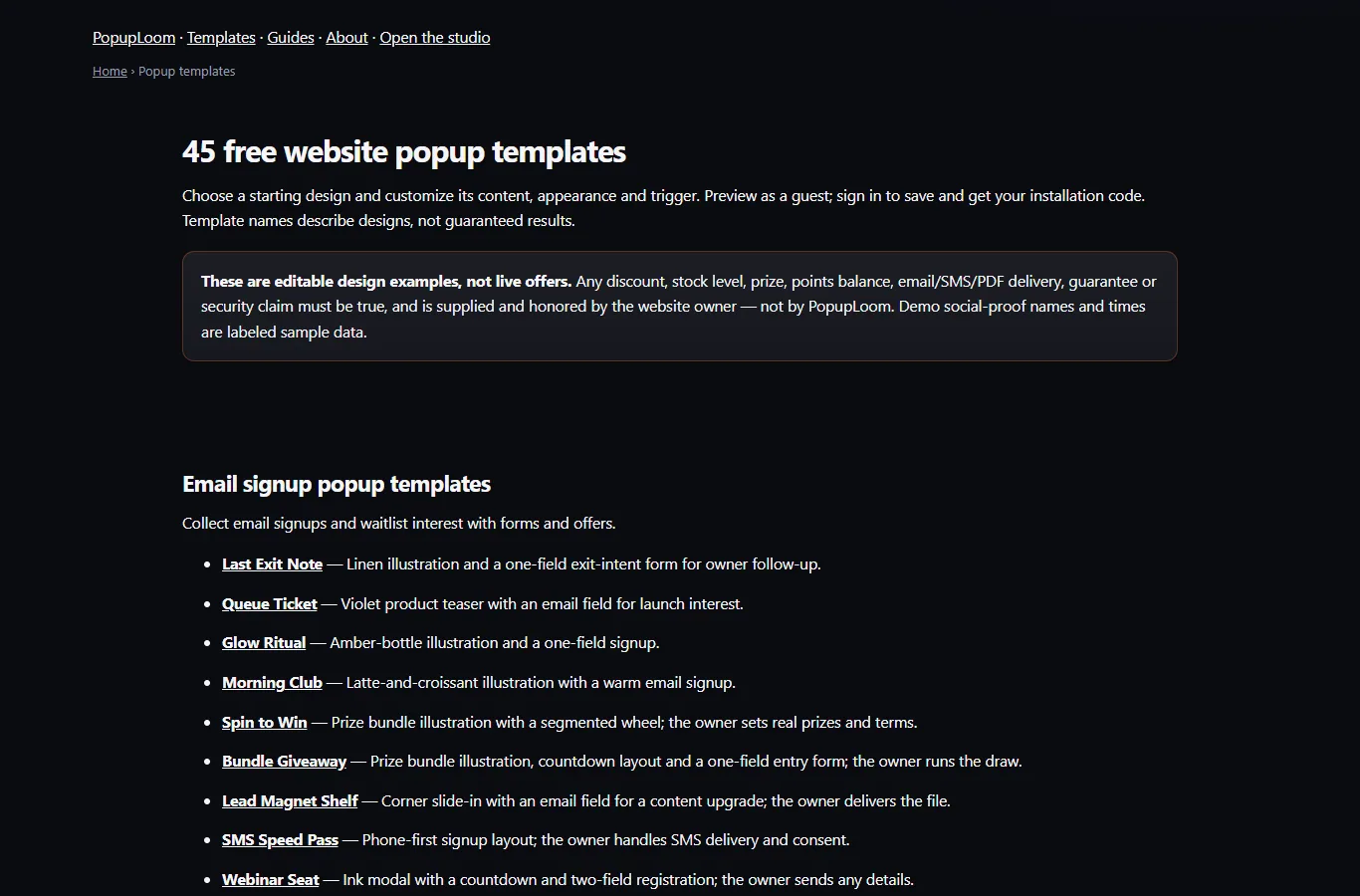
- 53 templates plus a blank canvas. Email signup, discounts, exit intent, announcements, feedback, trust, age gates, gamified, seasonal and video layouts.
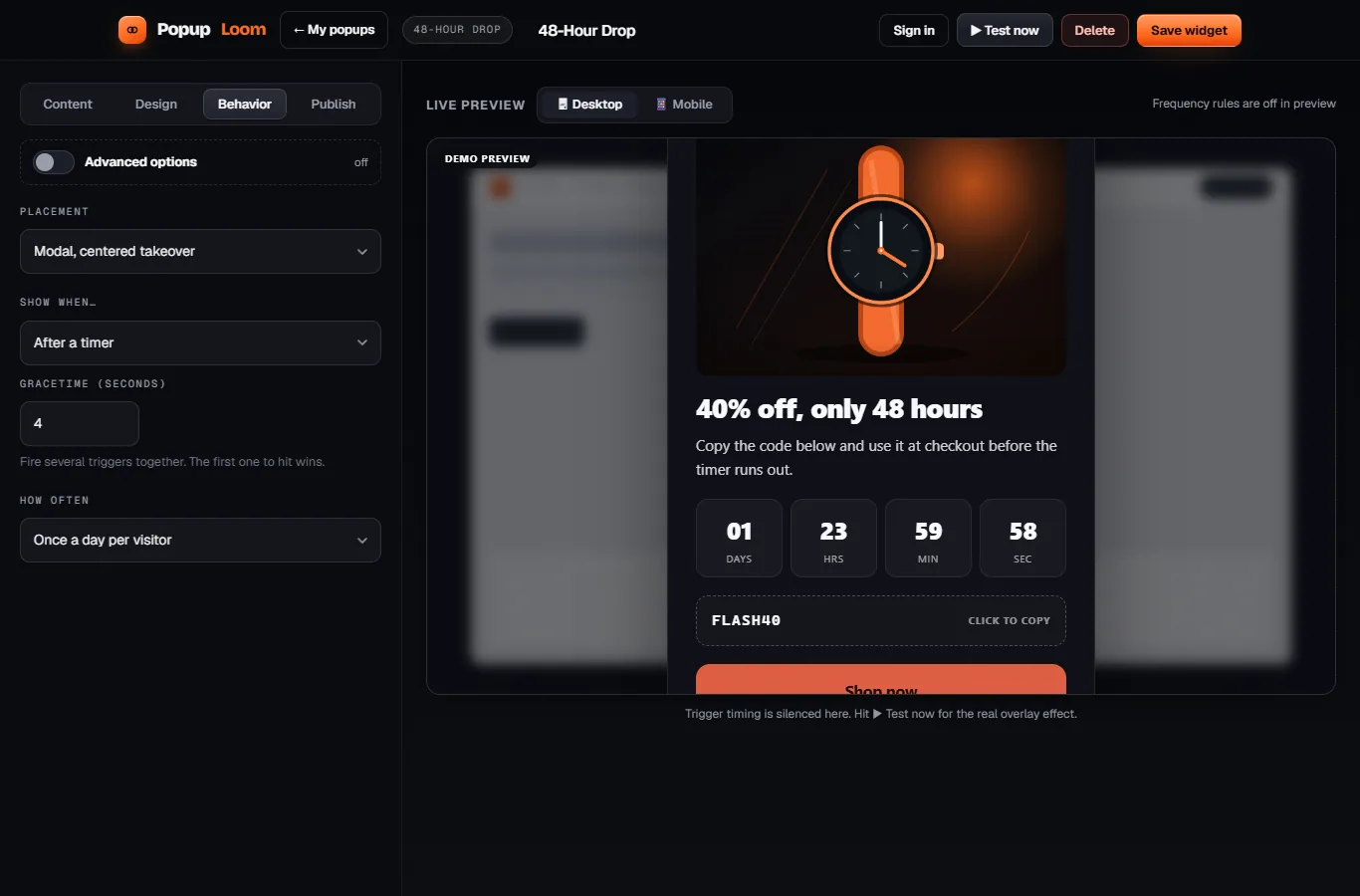
- Six triggers. Page load, an on-page timer, scroll depth, scroll past an element, a click on your own selector, or exit intent on desktop. Page include/exclude rules, device switches and frequency caps apply on top.
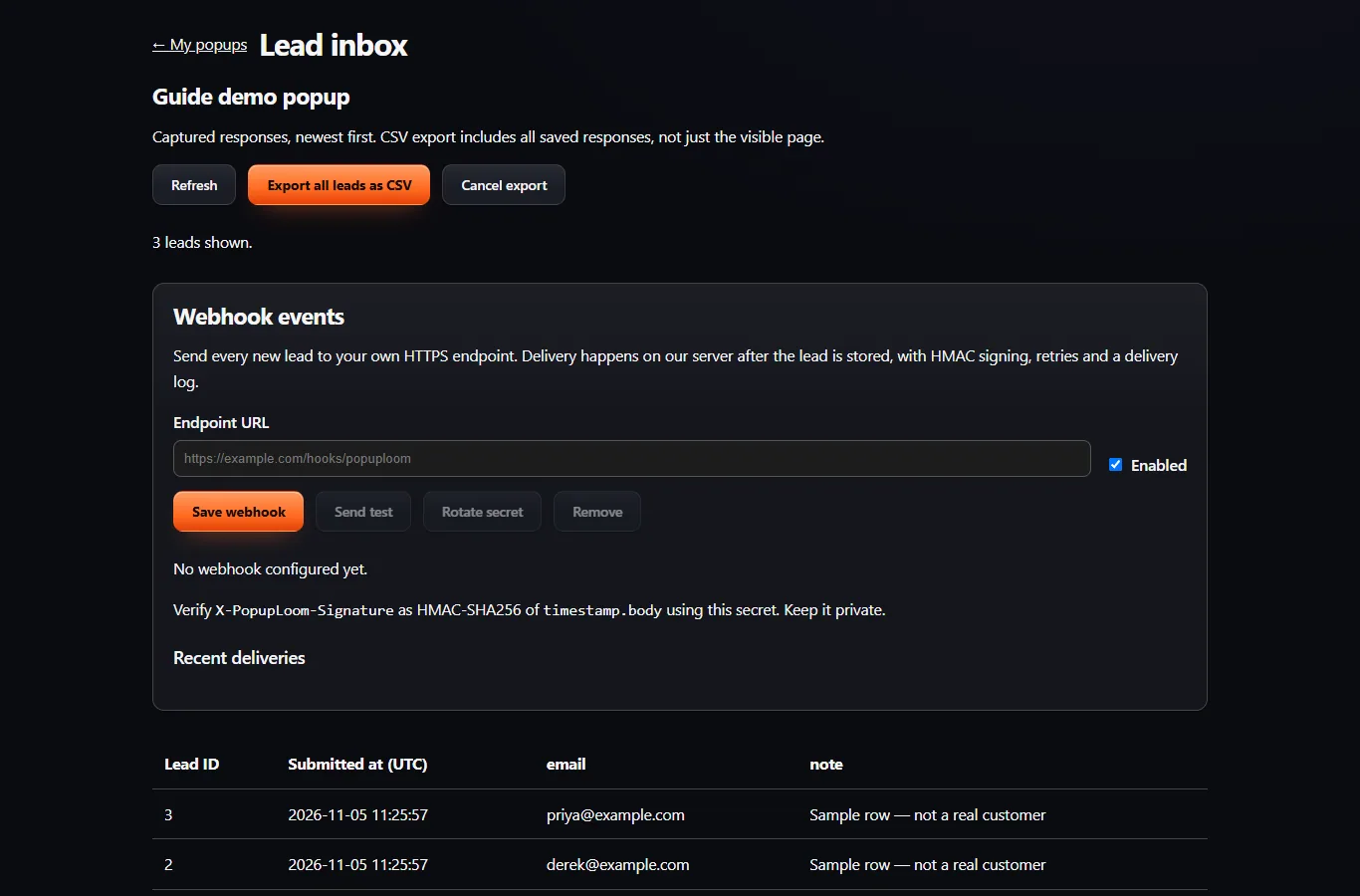
- A lead inbox. Responses are stored against the saved widget, with CSV export and an optional signed webhook using HMAC-SHA256, retries and a delivery log.
- Two-line install. A widget element with the saved id and a script tag before the closing body tag. No plugin directory, no build step.
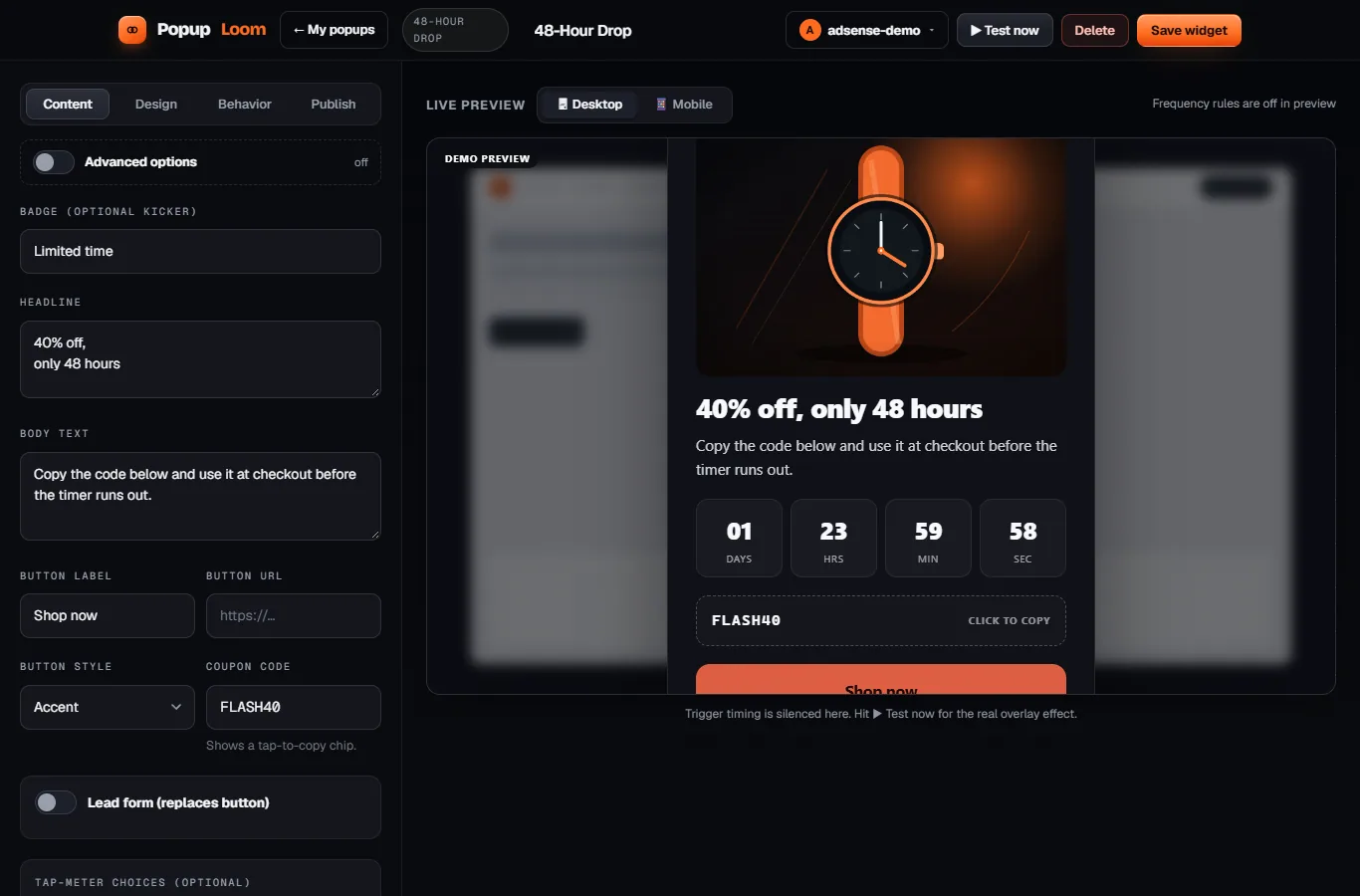
- Guest design. You can build and preview before creating an account; the account is needed to save, publish and collect responses.
None of that is a campaign platform. There is no A/B testing, no analytics dashboard, no AI, no cart reading and no coupon generation. If those are requirements, another product is the right answer, and the checklist page will help you evaluate it.
What the build looks like
These screenshots are from the live PopupLoom build on 16 November 2026.
Install and test in ten minutes
- Pick a job. A welcome offer, a discount code, a newsletter prompt or an exit-intent save. One popup, one job.
- Replace every placeholder. A real offer, a real code, a real date. Demo copy is marked as demo for a reason.
- Set one trigger and one frequency rule. Do not stack triggers on a first campaign; you will not know which one fired.
- Test as a guest. Submit a fake address, close the popup, reload and check that the frequency rule behaves.
- Install the two lines before the closing body tag. Platform notes: WordPress, Shopify, Webflow, Squarespace and Wix.
- Watch the inbox for a week. If no response arrives, the problem is usually the offer or the install, not the template. The popup not showing guide covers the install cases.
When PopupLoom is the wrong choice
A no-limits claim is not an argument for every site. Stay with, or choose, something else if:
- You run WordPress and can install plugins. A self-hosted plugin keeps the data in your database and adds no third-party script. That is usually the better trade.
- You need split testing or campaign analytics. There is no testing engine and no dashboard. Exit intent and scroll triggers do exist, but exit intent is desktop only.
- You want popups and email in one account. PopupLoom stops at the captured response; follow-up is your provider's job.
- You need AI drafting, quizzes, upsells or cart logic. None of it is in the product.
- Your platform blocks custom scripts. No snippet, no popup. The WordPress without a plugin guide covers the common blocked cases.
Being explicit about this is part of the product. A site that installs PopupLoom expecting a campaign suite will be disappointed, and that is a bad outcome for both sides.
Common questions
Is a free popup builder with no pageview limit really free?
PopupLoom is free and has no paid tier, so there is no plan to upgrade to. Hosting and API rate limits still exist to protect the service, and there is no uptime SLA. Free means no meter and no card, not unlimited infrastructure.
What counts as a pageview?
A pageview is one page load. A reader who opens five pages in a session generates five pageviews, while a unique-visitor meter counts that reader once. The unit decides how fast a free allowance runs out.
Does PopupLoom limit the number of popups I can run?
No. There is no live-campaign cap and no site-count cap in the product. Each saved widget has its own configuration, lead inbox and install snippet.
Can I use PopupLoom on more than one website?
Yes, within the rate limits that protect the service. There is no domain count attached to a plan, because there is no plan. Each site gets its own widget id and snippet.
What is not included in the free product?
No email sending, no A/B testing, no analytics dashboard, no AI features, no cart or coupon logic and no team roles. Leads are exported as CSV or forwarded by signed webhook. Exit intent and scroll triggers are included, with exit intent limited to desktop.
Is there a trial countdown or credit card?
No. There is no trial timer and no card. You can design and preview as a guest; a free account is required to save a widget and get its install code.
Where are my leads stored?
Responses are stored against the saved widget in your lead inbox. You can export them as CSV or forward each submission to your own server with a signed webhook that includes retries and a delivery log.
Why not just use a WordPress plugin?
On WordPress, a self-hosted plugin is often the better choice: no third-party script and the data stays in your database. PopupLoom is for sites that cannot run a plugin, or that want a hosted configuration with no plugin maintenance.
Method and limitations
This page describes PopupLoom's own product limits and the general behaviour of free-tier meters. It does not name or price any other vendor, and no competitor account was created. The worked example is arithmetic on the stated traffic numbers, not a forecast.
Free plans change without notice, so the checks above matter more than any snapshot. PopupLoom's product facts were verified on 16 November 2026 against the live product. No ranking, traffic, review, certification or conversion claim is made here, and no tool is guaranteed to produce more signups or revenue.
Related pages
- How to choose a free popup builder — nine checks for any shortlist, with no vendor names.
- Auditing a free popup tier — a 20-minute test plan you can run on any trial.
- Popup ROI calculator — model displays, signups, annual value, break-even and cap pressure with your own numbers.
- Popup copy swipe file — 24 reusable patterns with placeholders and an avoid-list.
- Popup template catalog — all 53 starting designs grouped by purpose.
- Collect and export leads — inbox, CSV and signed webhook details.
- Installation guide — the hosted widget model, snippet and testing.
- WordPress without a plugin — placement when plugins are blocked.
PopupLoom is a free popup builder with no pageview, visitor or impression meter. Limits and product facts are dated snapshots, not quotes.