Product behavior checked on 5 November 2026. Screenshots use isolated demonstration data, not customer records.
Where a response goes
- A visitor submits a popup form or a choice control.
- The runtime sends the response to the hosted PopupLoom API for the saved widget.
- The response is stored against that widget and appears in the owner's authenticated lead inbox.
- If the owner configured a webhook, a separate delivery is attempted. A webhook is an integration, not a replacement for hosted storage.
Guest drafts are different: they live in the browser and do not produce a hosted widget or hosted leads. The install code is issued for a saved account-owned popup.
Open the lead inbox
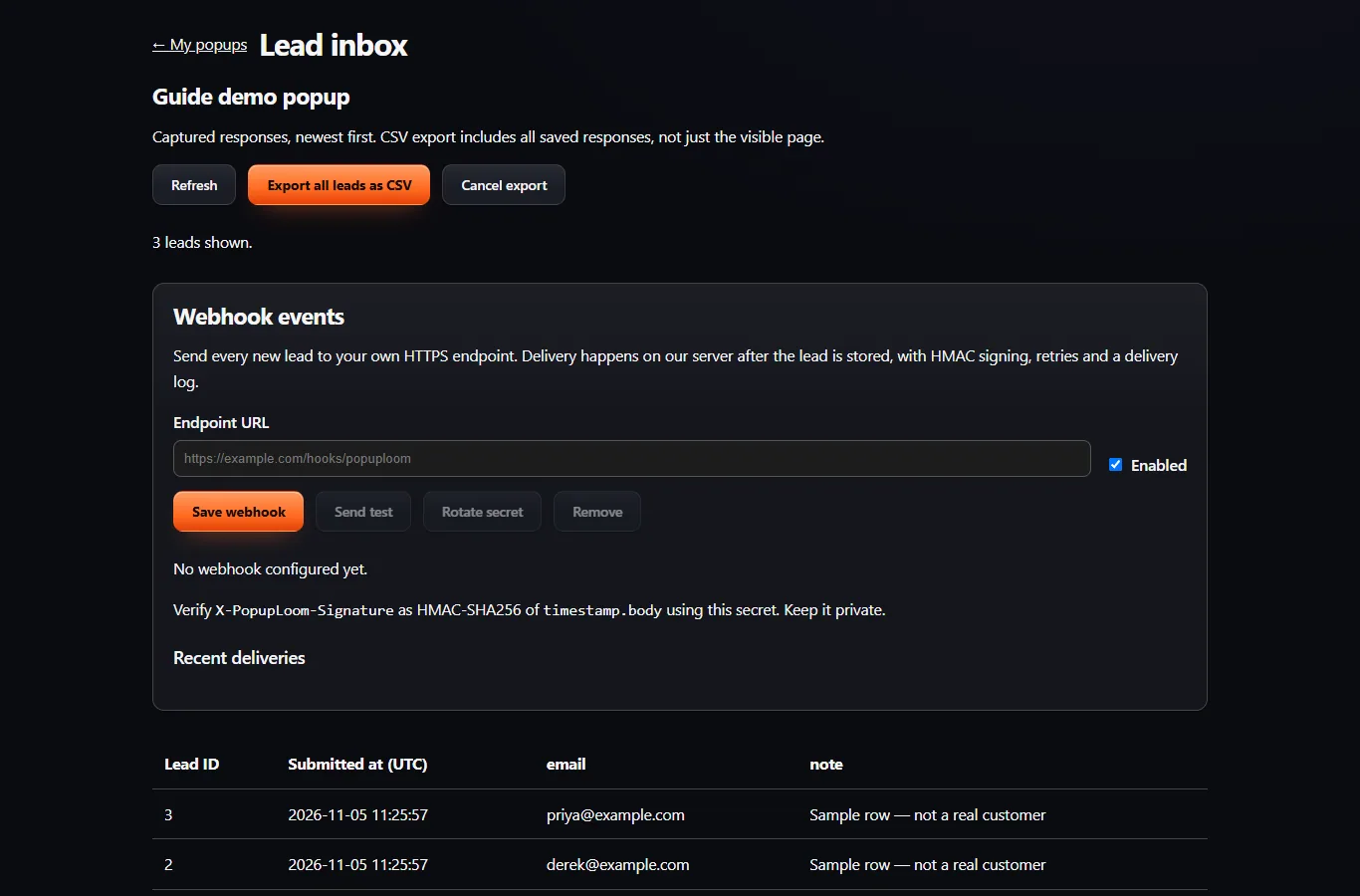
From My popups, choose Leads on a saved popup. The inbox pages responses newest first and shows every field that was captured. The screenshot below uses fabricated rows so no real person appears.
Export CSV
Export all leads as CSV in a popup's inbox follows every API page, not just the visible 100 rows. The workspace-level Export leads (.csv) combines every popup and adds the popup name and id columns. Both exports:
- include a UTF-8 byte-order mark for spreadsheet compatibility;
- use the union of captured field names, so later fields are not silently dropped;
- escape quotes and line breaks;
- prefix spreadsheet formula prefixes with an apostrophe to reduce CSV injection risk.
The CSV is a browser download. Treat it as personal data: store it with access control, avoid shared drives and delete it when no longer needed. The JSON configuration backup does not contain leads.
Browser webhook: best effort
A popup can include an optional browser webhook URL in its form settings. After a successful submission, the visitor's browser posts plain JSON to that URL with no-cors. This path:
- cannot confirm delivery or retry reliably;
- can be blocked by the visitor's browser, extensions or network;
- exposes the URL in the public widget configuration, so it must never contain private credentials;
- is not a server-side automation service.
Server-side webhook: signed and retried
Open a popup's lead inbox and configure Webhook events with an HTTPS endpoint. Delivery is made by PopupLoom after the lead is stored. The request includes a lead.created event, popup id and name, lead id/time and captured data. Headers include a timestamp and an HMAC-SHA256 signature over timestamp.body using the owner-only signing secret. Delivery is retried on network errors, timeouts, 408, 429 and 5xx responses, and the delivery log records status, attempts and response codes.
This is retried background delivery, not a durable queue. Use the delivery log and your receiver's own monitoring. Rotate the secret if it is exposed. Test with the Send test button before relying on it.
What PopupLoom does not deliver
PopupLoom does not send marketing email campaigns, SMS messages, PDF files, calendar invitations, invoices or customer support replies. It stores the response and can notify an integration. Any follow-up is the website owner's responsibility and must match the copy shown to visitors. Do not publish a promise that a code, file or invitation is “on its way” unless your own system actually sends it.
Privacy and retention
- Collect only the fields you need and explain the purpose before collection.
- Do not put sensitive data in a popup unless you have a lawful basis and appropriate safeguards.
- Deleting a popup also deletes its hosted responses. Export first if you need a record.
- Account deletion removes the account and its hosted popups/leads after identity verification, subject to routine backups.
- Webhook receivers are third parties with their own privacy practices. Choose them deliberately.
A safe test
- Use a saved test popup, not a live customer campaign.
- Submit clearly fake data such as
test@example.com. - Confirm the row in the lead inbox, then export and inspect the CSV.
- Send a webhook test to a receiver you control and verify the signature.
- Delete the test popup and its responses when finished.
Read the privacy and data handling page for storage, browser storage and advertising disclosures. Questions: contact us.